
Go to Windows platform Display platforms icon
Go to Windows platform Go to Mac platform Go to Android platform Go to iOS platform
OpenSCAD icon

OpenSCAD

2021.01
Open source
5 1 reviews
1.8 k downloads
security security

Create 3D models with this open-source app

Advertisement
Remove ads and more with Turbo
Advertisement
Remove ads and more with Turbo
Alberto García icon
Reviewed by
Alberto García
Developer’s Operations and Support
Alberto García is part of Uptodown's in-house Editorial Team. Translated by Uptodown Localization Team

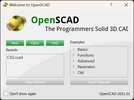
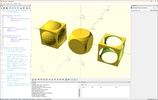
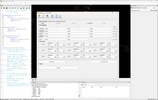
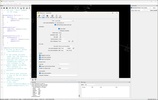
OpenSCAD is a 3D modeling app that allows you to design mechanical parts, boxes, parts for 3D printing, and other objects with mathematical precision instead of freeform modeling. On the left of the screen is your code, where you can write commands and define the dimensions of your models. Each object is generated from numerical values and equations that can be easily adjusted. This makes it an ideal tool for rapid prototyping, functional part design, and projects where you need to repeat geometries with controlled changes.

Design objects with code instead of clicks

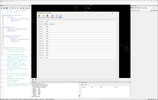
In OpenSCAD, you define your models by writing code in the internal editor, using basic shapes such as cubes, cylinders, spheres, and polygons, and combining them with Boolean operations such as union, difference, or intersection. Each parameter (height, radius, thickness, angle, etc.) is saved as a variable so that if you change a number, the entire model regenerates while maintaining its proportions. This allows you to create versions of the same part (for example, different box sizes) simply by modifying a few values instead of redrawing from scratch.

Advertisement
Remove ads and more with Turbo

Generate models ready for 3D printing

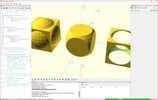
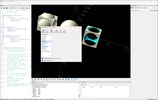
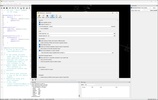
With OpenSCAD, you can export your designs to formats such as STL, OFF, AMF, and DXF, ready to be used directly with 3D printers or laser and CNC cutters. You can view the 3D model, rotate it, zoom in, and make sure that it has no inverted faces or mesh errors before exporting it. Orientation and dimensions are controlled from within the code, so you can ensure that each part has the correct wall thickness, tolerances, and reference axes for the manufacturing process you're going to use.

Take advantage of the community and open-source nature

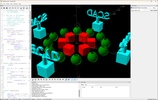
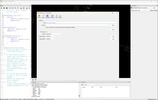
OpenSCAD is free software, with its source code hosted on GitHub, which allows you to review how it works, propose changes, or even compile your own version adapted to your needs. The community contributes additional libraries such as MCAD and other modules that extend design capabilities, facilitating tasks like creating gears, standard parts, or complex structures without always starting from scratch.

Download OpenSCAD and design parametric 3D models with a code-based approach, perfect for 3D printing, prototyping, and digital fabrication projects.

OpenSCAD is for you if

✓ You want precise, code-driven 3D models that update instantly when you tweak dimensions
✓ You need reliable exports for 3D printing, with controllable tolerances and error-checked meshes
✓ You value an open-source ecosystem with reusable libraries for gears, standard parts, and complex structures

Information about OpenSCAD 2021.01

Basic information

Developer OpenSCAD
Category CAD
Rating All ages
Languages English

Distribution model

Pricing Free
License GPL 2.0
Source code
Copyright © 2026 OpenSCAD
Why is this app published on Uptodown? (More information)

Security and privacy

Required permissions Not applicable
See security and antivirus report

Download info

Downloads 1,780
Date Jan 28, 2026
File type EXE
Size 20.86 MB
SHA256 fbe1e590e1af2af863f5d92bd263eb4644d0ee29352e3ab566366e87a8f6ed12
Advertisement
Remove ads and more with Turbo
Available for other platforms

Rate this App

Review the app
OpenSCAD icon

Rating

5.0
5
4
3
2
1
1 reviews

Comments

There are no opinions about OpenSCAD yet. Be the first! Comment

Advertisement
Remove ads and more with Turbo
ArchiCAD icon
A BIM platform for developing architectural projects
Sweet Home 3D icon
Design your house in 3D in an easy and accurate way
CADCraft icon
Native, open, and intuitive 2D CAD design
Kicad icon
Design all kinds of electronic schematics and circuits
KitchenDraw icon
Design your dream kitchen with this impressive software
LibreCAD icon
Free CAD editor for 2D designs
Coohom icon
Online 3D Interior Design and Visualization Software.
Envisioneer Express icon
Simple editor for interior decorating and design
Rufus icon
Create boot disks from an external drive
DLSS 5 Swapper icon
Install and manage DLSS 5 in games and emulators
Proton VPN icon
Powerful, free, secure and unlimited VPN
VLC Media Player icon
A powerful media player and streaming server
DS4Windows icon
Use DualShock 4 controllers on your PC
Sure icon
Manage your personal finances from your PC
OpenIDEA icon
Everything you need to develop software
Disc Image Studio icon
Turn your images into designs burned on optical discs
AutoCAD icon
Create, edit, and automate 2D and 3D designs professionally
Adobe Illustrator icon
Create logos, illustrations, and designs with this powerful editor
CorelDRAW icon
One of the best options for graphic design
Adobe Photoshop icon
Professional photo editing from Adobe
DaVinci Resolve icon
The most powerful and complete post-production video tool for PC
Adobe Lightroom icon
Edit your digital pictures with this elegant tool
PhotoCraft icon
An image editor you already know how to use
Microsoft Photos icon
View your photos on Windows